

What are Sub Accounts?
Base Account’s self-custodial design requires a user passkey prompt for each wallet interaction, such as transactions or message signing. While this ensures user awareness and approval of every wallet interaction, it can impact user experience in applications requiring frequent wallet interactions. To support Base Account with user experiences that need more developer control over wallet interactions, we’ve built Sub Accounts in conjunction with ERC-7895, a new wallet RPC for creating hierarchical relationships between wallet accounts. Sub Accounts allow you to provision wallet accounts that are directly embedded in your application for your users. You can control when a Sub Account is created and interact with them just as you would with another wallet via the wallet provider or popular web3 libraries like OnchainKit, wagmi, and viem. These Sub Accounts are linked to the end user’s Base Account through an onchain relationship. When combined with our Spend Permission feature, this creates a powerful foundation for provisioning and funding app accounts securely, while giving you ample control over building the user experience that makes the most sense for your application.Key Benefits
- Seamless UX: Reduce user friction by eliminating repeated signing prompts
- Developer Control: Manage when and how Sub Accounts are created
- Secure Relationships: Onchain linking between main account and sub accounts
- Spend Permissions: Control what Sub Accounts can spend and when
- Easy Integration: Works with existing web3 libraries and tools
If you would like to see a live demo of Sub Accounts in action, check out our Sub Accounts Demo.
Installation
Install the Base Account SDK:Basic Setup
Initialize the SDK
First, set up the Base Account SDK with Sub Account support:Using Sub Accounts
Create a New Sub Account
Create a Sub Account for your application using the provider RPC method: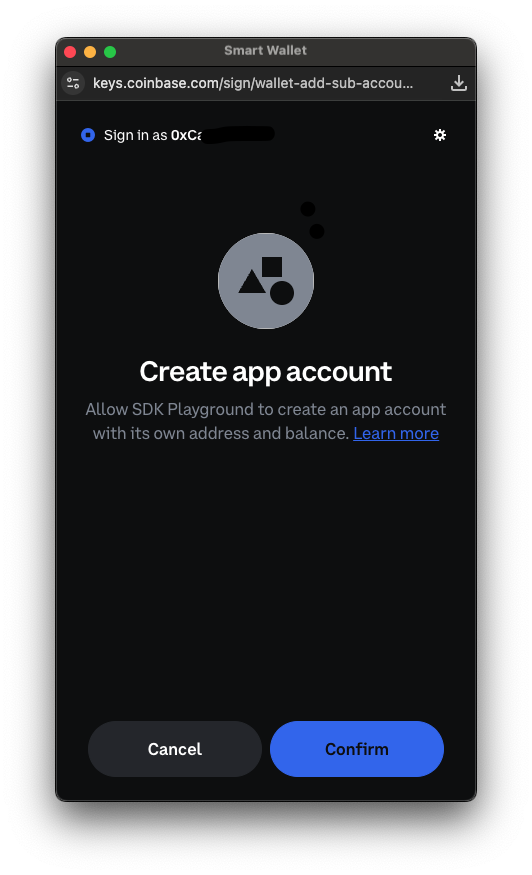
Import an existing Sub Account
If you already have a deployed Smart Contract Account, you can import it as a Sub Account using the provider RPC method:Before the Sub Account is imported, you will need to add the Base Account address as an owner of the Sub Account. This currently needs to be done manually
by calling the
addOwnerAddress or addOwnerPublicKey functions on the Smart Contract of the Sub Account that was imported and setting the Base Account address as the owner.Additionally, only Coinbase Smart Wallet contracts are currently supported for importing as a Sub Account into your Base Account.Get Existing Sub Account
Retrieve an existing Sub Account using the provider RPC method:Send transactions
To send transactions from the connected sub account you can use EIP-5792wallet_sendCalls or eth_sendTransaction. You need to specify the from parameter to be the sub account address.
Add Owner Account
Add an owner to a Sub Account:Auto Spend Permissions
Auto Spend Permissions allows Sub Accounts to access funds from their parent Base Account when transaction balances are insufficient. This feature can also establish ongoing spend permissions, enabling future transactions to execute without user approval prompts, reducing friction in your app’s transaction flow.Configuration
Auto Spend Permissions is only available in SDK version2.1.0 or later. This feature is enabled by default when using Sub Accounts.
To disable Auto Spend Permissions when using Sub Accounts, set unstable_enableAutoSpendPermissions to false in your SDK configuration:
How it works
First-time transaction flow: When a Sub Account attempts its first transaction, Base Account displays a popup for user approval. During this approval process, Base Account:- Automatically detects any missing tokens (native or ERC-20) needed for the transaction
- Requests a transfer of the required funds from the parent Base Account to the Sub Account to fulfill the current transaction
- Allows the user to optionally grant ongoing spend permissions for future transactions in that token
- First, attempt using existing Sub Account balances and granted spend permissions
- If insufficient, prompt the user to authorize additional transfers and/or spend permissions from their Base Account